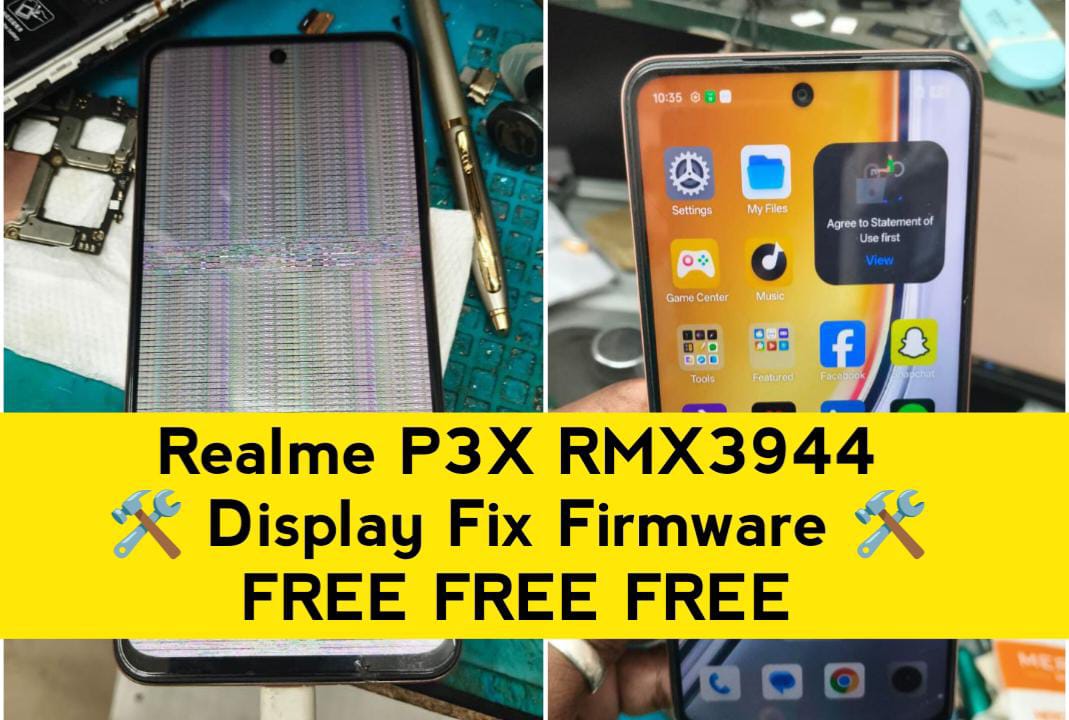
If your Realme P3x RMX3944 is showing no display, white screen, black screen, lines, or flickering after flashing firmware, you’re not alone. This is a very common issue caused by wrong firmware, incompatible preloader, or mismatched display drivers.
In this guide, you’ll learn why the display problem happens after flashing, how to fix it safely, and which repair firmware works best—all explained step by step in a clean, professional way.
❗ Why Display Problem Occurs After Flashing RMX3944
After flashing, the phone may power ON but show:
- ❌ Black screen (no display)
- ❌ White screen
- ❌ Half display or vertical lines
- ❌ Touch works but no image
- ❌ Logo appears then screen goes blank
⚠️ Realme devices use multiple display vendors. One wrong file = display dead.
✅ Best Solution: Use Display-Compatible Repair Firmware
The only permanent fix is flashing a display-compatible repair firmware specially built for Realme P3x RMX3944.
Download Tested Repair Firmware for Realme P3x
Download Firmware File
Click the button below to download the tested firmware safely from our secure server.
⬇️ Download Firmware🛠️ Flashing Instructions (Safe Method)
- Power OFF the phone
- Open flashing tool on PC
- Load RMX3944 repair firmware
- Select Download Only
- Connect phone in preloader mode
- Wait until success message
- Boot phone (first boot may take time)
Need Remote Repair Service?
Facing flashing or display issues on your Realme device? Contact us on WhatsApp for fast and secure remote repair support.
RK-Solutions
💬 Connect on WhatsAppFlashing firmware on Realme P3x RMX3944 is a powerful software repair process. When done correctly, it can completely revive a dead or malfunctioning device. When done incorrectly, it can cause serious problems. Flashing means installing the official or repair firmware on your device to restore or replace the existing system software. It rewrites core partitions like boot, system, vendor, and display drivers. In Realme P3x RMX3944, flashing is commonly used to fix software-level issues that cannot be solved by factory reset.
🧠 Important Tips (Must Read)
- ❌ Don’t use OTA firmware to fix display issues
- ❌ Don’t flash other Realme model firmware
- ✅ Always backup userdata before flashing
- ✅ Match firmware with exact model: RMX3944
Frequently Asked Questions – Realme P3x RMX3944
How to fix Realme P3x RMX3944 display problem after flashing?
You can fix the display issue by flashing the tested RMX3944 display repair firmware using a PC flashing tool.
Does flashing repair firmware fix black screen issue?
Yes, the repair firmware restores the correct display driver and fixes black or white screen problems.
Is hardware replacement required for display issue?
No, in most cases the problem is software-related and can be fixed without replacing the display.
Is this firmware safe to use?
Yes, the firmware is tested and safe when flashed correctly on Realme P3x RMX3944.
Download Paid Firmware – Premium & Tested Files
Get access to premium paid firmware from RK ROM with full stability, fast flashing support, and professional-grade repair files. Perfect for technicians and advanced users.
- ✔ 100% Tested & Verified Firmware
- ✔ Fix Dead, Bootloop & After Flash Issues
- ✔ Clean Files – No Virus / No Ads
- ✔ Professional Support Available
- ✔ Instant Download After Purchase
🔒 This is a PAID FIRMWARE. Free files may not fix complex issues.
🔥 Download Paid FirmwareTrusted by mobile technicians across India. Buy once – repair with confidence.