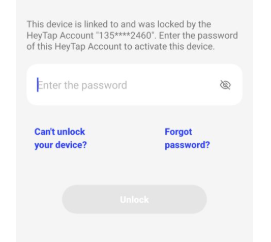
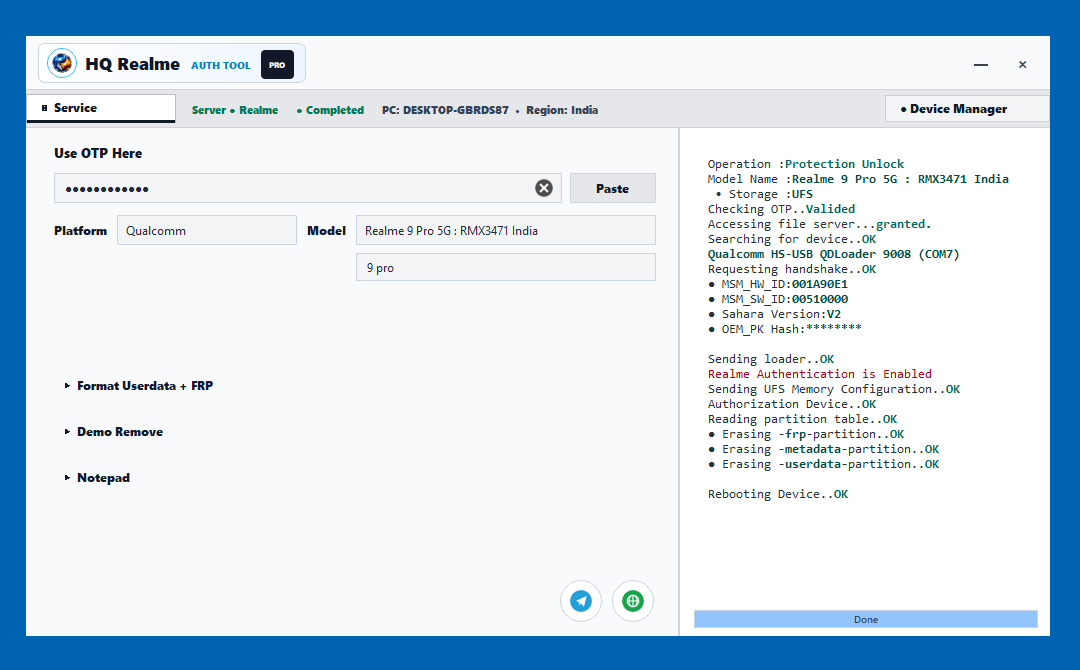
Realme smartphones are popular for their performance, stylish design, and affordable price range. However, sometimes users and mobile repair professionals need a reliable software solution for flashing, software repair, boot-related issues, and authorized unlock support. For this purpose, HQ Realme AuthTool is a useful solution for professional Realme device servicing.
In this post, we will explain what HQ Realme AuthTool is, its main features, why technicians use it, and how you can get login OTP support safely and professionally.
What is HQ Realme AuthTool?
HQ Realme AuthTool is a professional mobile servicing tool designed for Realme devices. It helps technicians and repair shops perform software-related operations such as firmware flashing, boot repair, and device servicing through an authorized tool environment.
This tool is mainly useful for mobile repair professionals, service shops, and experienced users who work with Realme software repair. It provides a clean and easy interface to handle supported Realme models safely.
Important Notice: This tool should be used only for legal and authorized repair work. Do not use it on lost, stolen, or unauthorized devices. Always take customer permission and valid proof before performing any flashing or unlock service.
Key Features of HQ Realme AuthTool
- Supports Realme device flashing and software repair
- Easy-to-use professional interface
- Useful for mobile repair shops and technicians
- Helps with supported Realme software servicing operations
- Fast login OTP support
- Suitable for authorized repair and customer-owned devices
- Clean workflow for flashing and unlock-related servicing
- Professional support through WhatsApp and Telegram
Why Use HQ Realme AuthTool?
When a Realme device faces software problems, technicians need a trusted tool to complete the repair process properly. HQ Realme AuthTool is designed to make the process easier for professionals who handle Realme flashing and unlock services.
It is useful for situations like software corruption, boot issues, firmware repair, and other supported service operations. With proper knowledge and legal customer approval, this tool can save time and help complete mobile repair work more efficiently.
HQ Realme AuthTool Official Website
You can visit the official website for HQ Realme AuthTool here:
Website: hqloader.in
How to Get Login OTP for HQ Realme AuthTool
To use HQ Realme AuthTool, you may need login OTP access. You can get login OTP support through WhatsApp or Telegram.
Get Login OTP via WhatsApp
WhatsApp Number: +917001105863
Contact on WhatsApp for login OTP and tool access support.
Telegram Support
Telegram ID: @rkddevilyt
You can also contact through Telegram for support and updates.
Who Can Use HQ Realme AuthTool?
HQ Realme AuthTool is mainly suitable for:
- Mobile repair shops
- Professional phone technicians
- Realme software repair service providers
- Authorized device owners
- Technicians who handle flashing and unlock support legally
This tool is not recommended for beginners without proper technical knowledge. Flashing or unlocking a device without understanding the process may cause data loss or device problems.
Things to Check Before Flashing a Realme Device
Before performing any flashing or unlock-related service, always follow basic safety checks:
- Confirm that the device belongs to the customer or user
- Take proper customer permission before service
- Keep customer ID proof or service record if required
- Backup important data when possible
- Check the correct model number before flashing
- Use the correct firmware file for the device model
- Make sure the battery has enough charge
- Use a good USB cable and stable computer connection
Legal and Safety Disclaimer
HQ Realme AuthTool and related services must be used only for legal mobile repair work. We do not support illegal unlocking, stolen phone servicing, lost phone access, or any unauthorized activity.
Phone repair shops, online dealers, and agents should always verify customer ownership before performing any flashing or unlock work. If any person uses the tool for illegal activity, they are fully responsible for their own actions.
Benefits for Mobile Repair Shops
For mobile repair shops, time and reliability are very important. HQ Realme AuthTool can help technicians complete supported Realme software repair jobs faster and with a more professional workflow.
With proper login OTP support, repair professionals can manage Realme flashing and unlock-related services more smoothly. This makes it a helpful option for shops that regularly handle Realme devices.
Common Uses of HQ Realme AuthTool
- Realme firmware flashing support
- Software repair for supported Realme models
- Boot issue repair support
- Authorized unlock servicing
- Professional mobile repair workflow
- Realme device servicing assistance
FAQ – HQ Realme AuthTool
Is HQ Realme AuthTool useful for Realme flashing?
Yes, HQ Realme AuthTool is designed to help with Realme device flashing and supported software repair operations.
Where can I get login OTP?
You can get login OTP support via WhatsApp at +91 7001105863 or Telegram ID @rkddevilyt.
What is the official website?
The official website is hqloader.in.
Can this tool be used for any phone?
No, this post is about Realme device support. Always check supported models before using any tool.
Is it safe to use?
It can be safe when used properly by trained technicians on legally owned or authorized devices. Wrong flashing or unauthorized use may create problems.
Final Words
If you are looking for a professional solution for Realme device flash unlock and software repair support, HQ Realme AuthTool can be a useful option for mobile repair technicians and service providers.
For login OTP and support, contact through WhatsApp or Telegram.
Official Website: hqloader.in
Get Login OTP via WhatsApp: +91 7001105863
Telegram Support: @rkddevilyt
Reminder: Use this tool only for legal repair work on your own device or with proper customer permission.